ConvertKit vs MailChimp: What’s the Best Email Software?
Email marketing software is a key part of building an email list and maintaining it. It is how you collect those emails but also send broadcasts and other email types. It is often how you give out the freebie you promised and can integrate with tons of other apps you use.
As an Amazon Associate I earn from qualifying purchases and sometimes recommend products from other sellers at no extra cost you. For more details see my disclosure policy and privacy policy.
There are a few big names out there but two big ones for bloggers are ConvertKit and MailChimp. I’ve used both (and still use one) but it can be a good idea to see a ConvertKit vs MailChimp comparison to help you choose the best email software for your needs. Let’s dive in.
Who is MailChimp?
MailChimp is one of the original email marketing software providers and definitely has the big name recognition in the industry. Many people refer to it and recommend it, namely because it does have a reasonable free plan. While free plans won’t let you really grow, they are a great place to start.
Because it has been around so long, MailChimp has over 250 integrations with other apps which makes it easier to connect everything and cut out the manual. Because they are so well known, there are also lots of professionals out there offering support on the app in addition to the 24/7 support you can get inside it on some plans.
There are three main plans plus larger business levels.
- Free – up to 2000 contacts, website builder, forms and landing pages, up to 10,000 emails sent a month
- Essentials – up to 50,000 contacts, 24/7 support, up to 500,000 emails sent a month
- Standard – up to 100,000 contacts, various audience insights tools, more automations, up to 1.2 million emails sent a month
Who is ConvertKit?
ConvertKit is a little newer than MailChimp but has grown rapidly. There are also specialists available to help with tasks beyond what support offers that are qualified from the company on the product.
The product was created specifically for bloggers and content creators and that means their focus is more on us than any other audience. They have an extensive range of integrations with other tools and powerful automation inside the software to help you do more without being hands-on.
There are three main plans:
- Free – up to 1000 subscribers, unlimited landing pages and forms, send broadcasts, sell digital products
- Creator – up to 1000 subscribers, adds in migration from other tools and their highly useful automated funnels and sequences
- Creator Pro – up to 1000 subscribers, adds in a range of advanced features like Facebook custom audiences and advanced reporting
With ConvertKit, your price increases only as your number of subscribers do. Plus their system is clever enough to spot duplicates and avoid charing you twice. So if someone signs up for two freebies through two different forms, ConvertKit will only count them as 1 subscriber towards your total.
The main features compared
Both of these are high-quality tools so the best way to really get an idea about what they offer is to look at a comparison of the most important features. This will show you what’s included and what isn’t to help you compare.
| Feature | ConvertKit | MailChimp |
|---|---|---|
| Automated sequences | 👍 | 👍 |
| Multiple opt-ins at once | 👍 | 👎 |
| Mobile responsive emails | 👍 | 👍 |
| Drag and drop email creation | 👎 | 👍 |
| Customised form builder | 👍 | 👍 |
| Multiple forms per list | 👍 | 👎 |
| Form specific opt-in incentives | 👍 | 👎 |
| Custom fields | 👍 | 👍 |
| Tagging subscribers | 👍 | 👎 |
| Subscriber import/export | 👍 | 👍 |
| Duplicate subscribers counted once | 👍 | 👎 |
| Advanced automations | 👍 | 👍 |
| Link triggers | 👍 | 👍 |
| E-commerce integration | 👍 | 👍 |
| API available | 👍 | 👍 |
ConvertKit vs MailChimp – key features
The last way to carry out a ConvertKit versus MailChimp comparison is to look at some of the big elements of email marketing software and see who comes out on top. These are just opinions from myself and others across the internet so always check things yourself.
Ease of use of the email editor
Creating emails is the whole point of email marketing software but which one has the easiest editor to work with?
That’s a little tricky because the two tools use very different approaches. MailChimp has a classic drag and drop editor that is similar to MailerLite or even to website builders like Divi.
This means it is very easy to make pretty, content-filled emails with lots of features. But that isn’t always a good thing. Because studies have shown that the more elements in an email, the greater the chance it ends up in spam. It isn’t a huge risk and if visuals are important, then don’t worry.
But if you don’t need more than the odd image or a GIF, then ConertKit has a very plain and very easy to use editor. They’ve added more features in recent times and you can add stuff like buttons now. But they believe that simplest is best and that’s how their editor creates email.
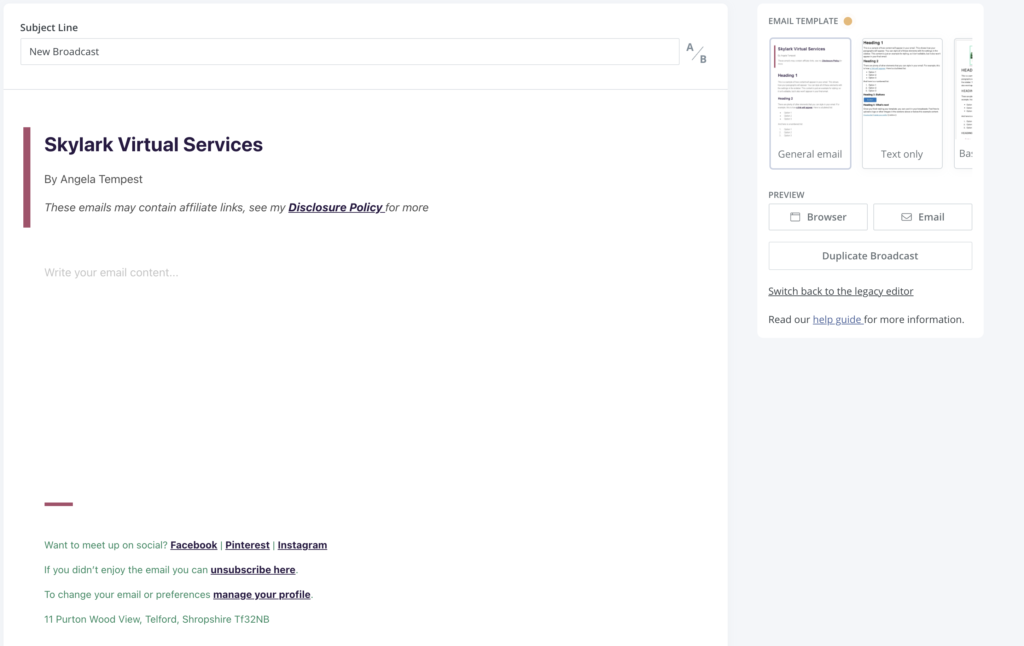
Winner – no clear winner, depends a lot of what you want or prefer
Subscriber organisation
Once you start to build up a list of people waiting to hear from you, subscriber organisation starts to become more important.
MailChimp takes a list approach. This means everyone goes into a single list then you can separate them into different lists. The only problem is that if someone is on multiple lists, they count as more than one subscriber.
ConvertKit doesn’t use lists but instead uses tags. These are applied to subscribers in a couple of different ways and allow you to easily view your people in various formats. You can see who signed up for a certain form. Or who bought a product. You can bulk add and remove tags at will.
Winner – ConvertKit comes out on top for flexibility and for not counting people more than once
Sign up forms
Sign up or registration forms are how someone becomes a subscriber so they are a pretty big deal. You can get lots of great third-party software to handle this (I use ConvertBox) but let’s look at the built-in features of both.
Both have a similar system for forms. You can have embedded, pop up or slide-in forms and there’s some design features to make them look as you want. Neither are complete ‘design from scratch’ builders but allow you to tweak them to suit branding and design. ConvertKit also has the sticky bar to sit at the top of your web page.
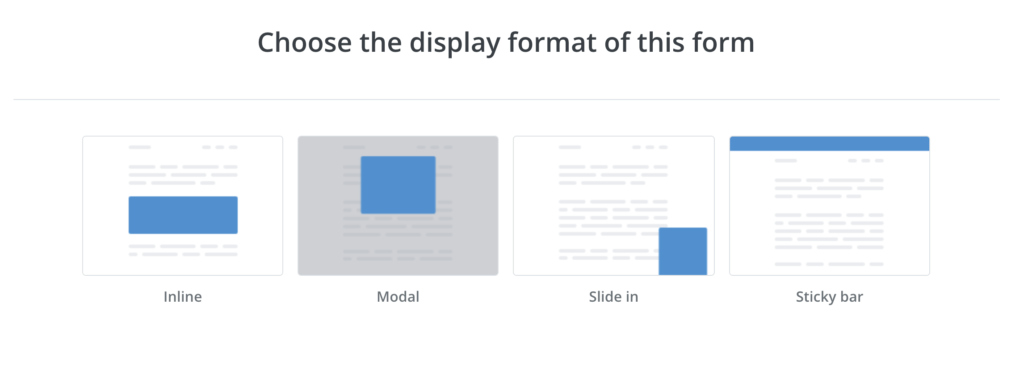
MailChimp does have a little more flexibility for their pop up editor and this is more of a drag and drop style. But it only applies to pop-ups which seems a little strange.
Winner – basically a tie but ConvertKit might edge it simply because there’s just one type of form builder to learn.
Landing page builder
Again, landing pages can be created elsewhere, things like Elementor and Divi will handle the job inside your website. But both email software providers have built-in landing page creators.
ConvertKit has recently expanded its range from the four basic ones they had. You can customise quite a bit with it but the interface is similar to the forms so you have limitations.
MailChimp has eight different templates but also a drag and drop interface similar to that for creating emails that give you a lot more flexibility.
Winner – MailChimp just edges this one because you can make the landing pages just as you want.
Automations
Not having to do everything by hand is a huge benefit in my mind and that’s where ConvertKit’s automations really stand out. Their visual automations allow you to see the process you are creating and incorporate things like email sequences, delays and even sending them down different paths based on tags or other factors.
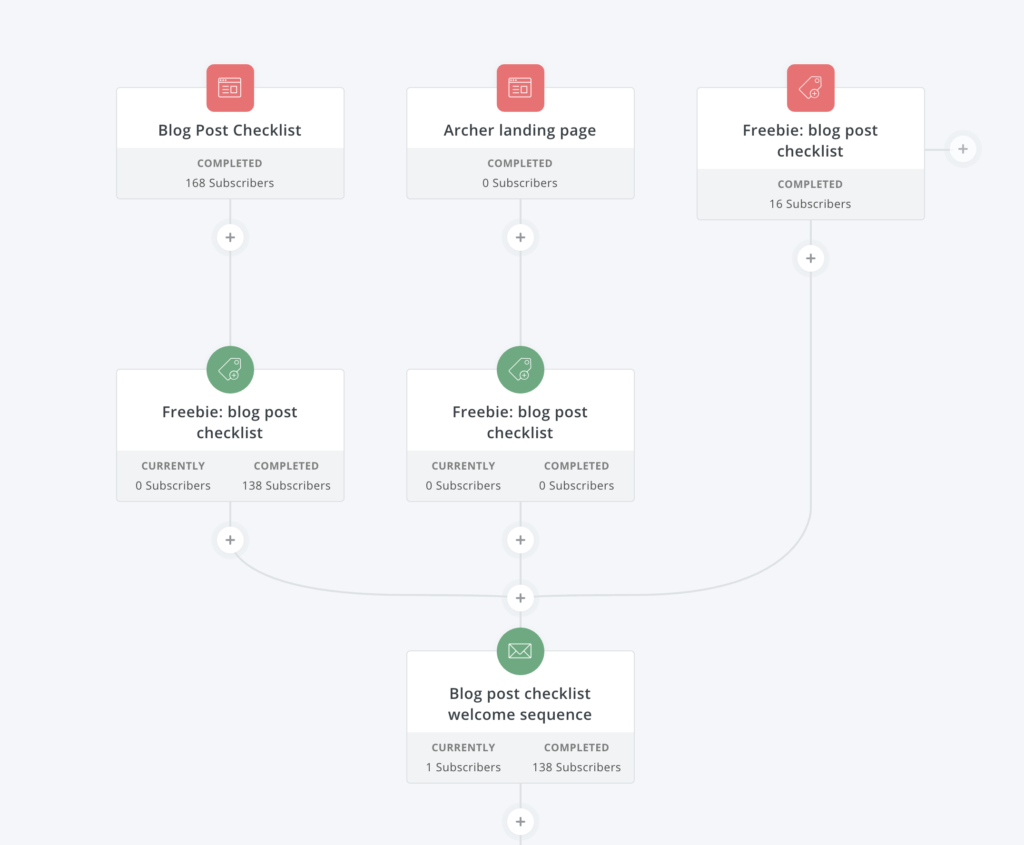
MailChimp does have automations but they are hidden under the Campaigns section with the Create an Email tab. There’s no visual automation so it is hard to get the idea of what’s happening. But there is some good automation in there you can use including abandoned cart campaigns.
Winner – ConvertKit due to the visual automation builder and ease of use
Reporting
The last area to consider is reporting. It is important to track key stats about your emails to see what’s working and this data comes from within your email marketing software.
ConvertKit keeps things on the simple side, almost a little too much! Each broadcast or sequence email has its own stats that can be viewed through it and overall sequences have stats. There’s some reporting on the main home page but that’s it.
MailChimp does have a lot more information available including basic performance reports, social stats, opens by location, click maps and even eCommerce sales. This means you can get a lot more information about your email performance.
Winner – this one goes to MailChimp because it offers so much more data
Why I’m a ConvertKit fan
I thought I’d end by taking a moment to tell you why I love ConvertKit. I’ve tried MailChimp but decided that it wasn’t for me. They’ve definitely improved the product since then and there’s a lot of good features but I’m not tempted to switch.
I love the visual automations and the ease of organising my audience. The integrations are extensive and when you add in Zapier, there’s nothing you can’t do. I can easily integrate it with Thrivecart to sell products to handle funnels.
Finding the right option is about the balance between what you want and what works for you. Both offer a free plan to take them for a test drive and see how you get on. Then you can answer the question of who wins for your business!